
03 / Kill Switch
Help prevent traffic leaks with Kill Switch
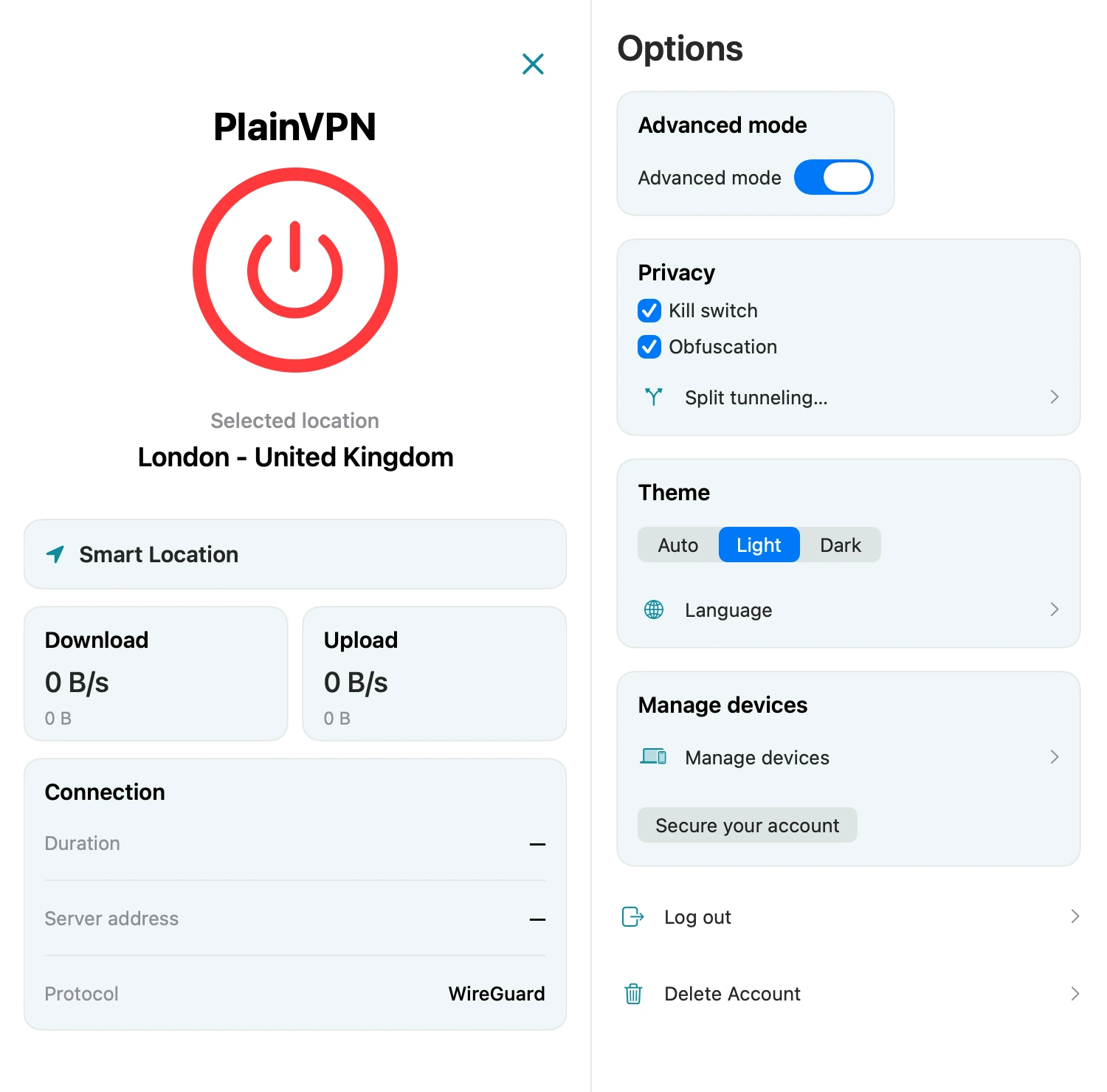
If the VPN connection drops, Kill Switch helps block internet traffic that would otherwise leave outside the VPN. Enable it in Options when you want this extra protection.
PlainVPN / Mac
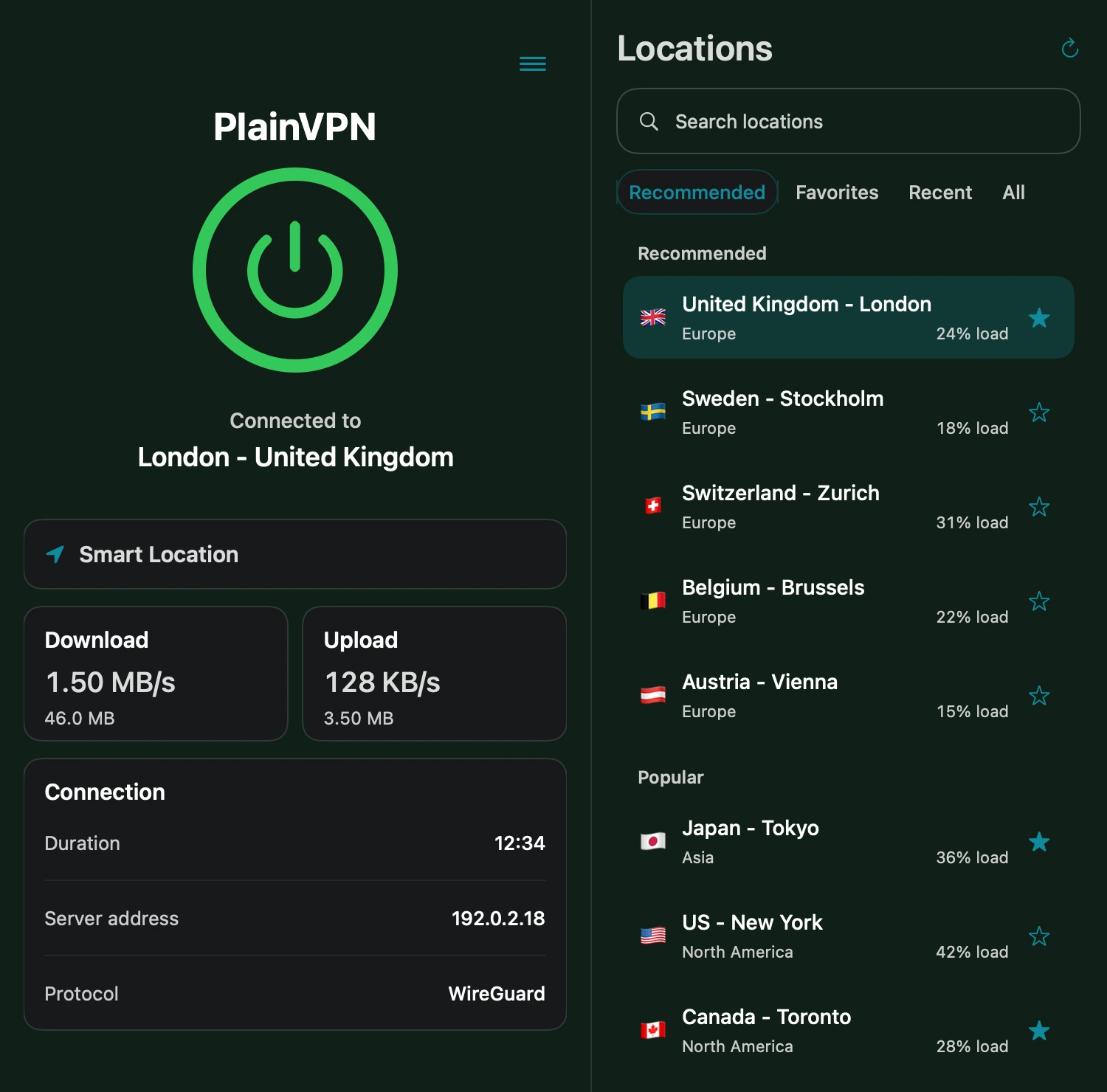
A VPN for your MacBook, iMac, and everyday connections. Choose a location, connect with WireGuard, and control which apps use the VPN—all from one macOS app.
01 / Features
Use Simple mode for everyday connections, or open Advanced mode to see session traffic, connection duration, and server details. Smart Location helps you choose a server, while Favorites keeps the locations you use close at hand.
02 / Split Tunneling
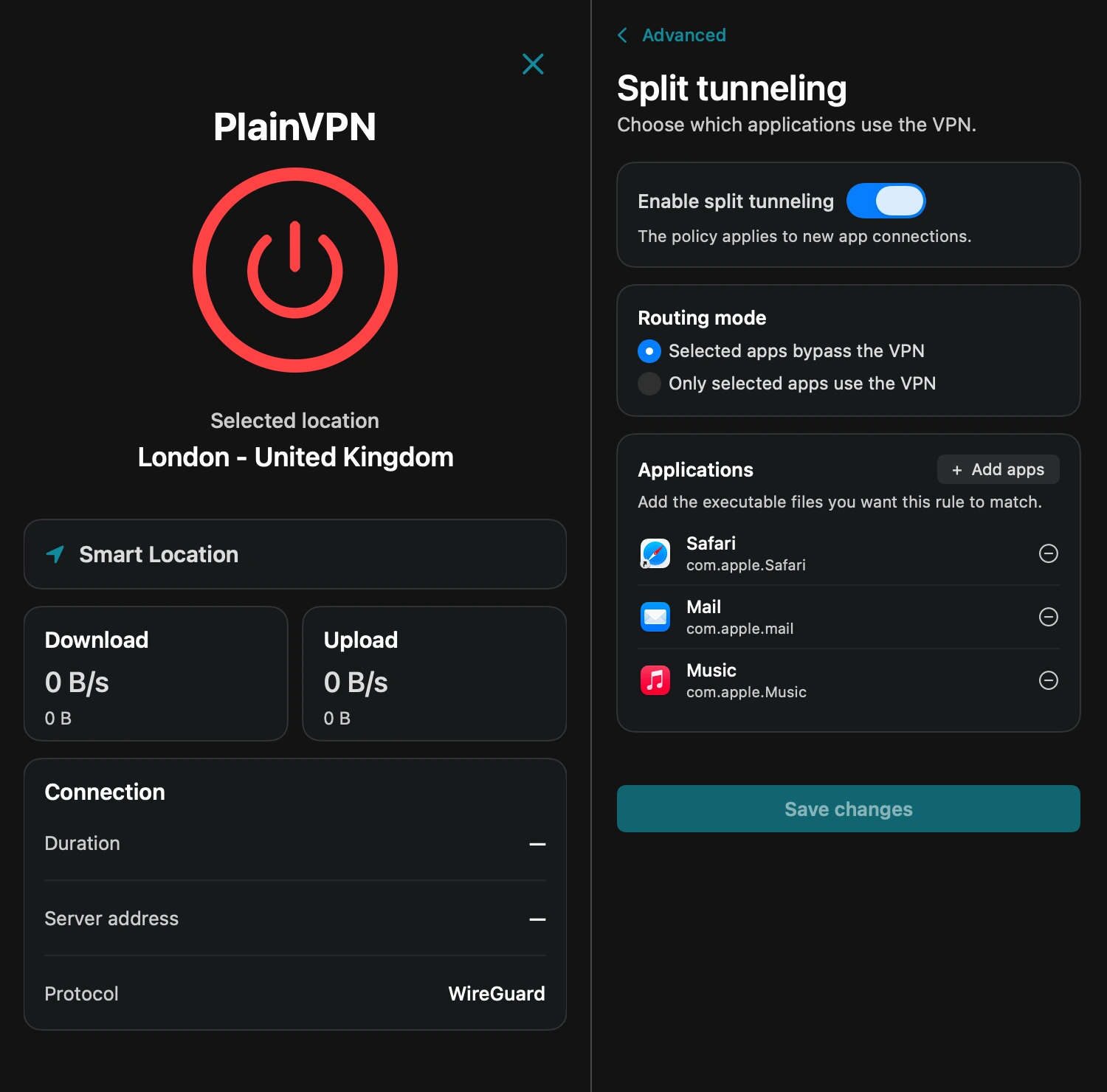
Let selected apps bypass the VPN, or send only selected apps through it. Add your applications in Split Tunneling and save your choices. Changes apply to new app connections; reconnect the affected apps when needed.
03 / Kill Switch
If the VPN connection drops, Kill Switch helps block internet traffic that would otherwise leave outside the VPN. Enable it in Options when you want this extra protection.
04 / WireGuard
PlainVPN manages your WireGuard connection inside the Mac app. Choose a location and connect without importing configuration files. Use light, dark, or automatic appearance to fit your Mac.
Read our privacy policyGet PlainVPN from the Mac App Store and open it on your Mac.
Sign in to your PlainVPN account. Choose a plan if you do not already have active access.
Select a server or use Smart Location, then press the connect button. Open Options to configure Kill Switch or Split Tunneling.
PlainVPN requires macOS 12 or later. Open the Mac App Store listing on your Mac to check compatibility and install the app.
Yes. You can download the app from the Mac App Store at no cost. Using the VPN requires active PlainVPN access. See the pricing page for available plans.
Yes. Enable Split Tunneling, choose the mode where only selected apps use the VPN, add the application, and save your changes. The other mode lets selected apps bypass the VPN instead.
No. Simple mode lets you choose a location and connect. Advanced mode adds connection statistics and details for people who want to see more.
Download the app, sign in, and choose your connection. Need help getting started? Our support team can help.
All VPN apps